Genuine Apple Pencil in Kenya: Precision Digital Stylus
The Apple Pencil lineup has completely transformed digital art, note-taking, and professional workflows on the iPad by offering pixel-perfect precision, unnoticeable lag, and advanced tilt sensitivity. Whether you are a digital artist sketchpadting in Procreate, a student annotating PDF documents, or a creative professional looking to enhance your productivity, Phone Place Kenya offers the full range of authentic, brand-new Apple Pencils.
Every Apple Pencil purchased through our store arrives factory-sealed and includes a local limited warranty, giving you a smooth drawing experience right out of the box.
Exploring the Apple Pencil Lineup: Features & Device Tiers
The Flagship Powerhouse: Apple Pencil Pro
Engineered for advanced professionals, graphic designers, and illustrators working on the latest hardware. The Apple Pencil Pro brings groundbreaking physical interaction sensors to your workflow. The barrel features a built-in squeeze sensor that instantly pops open an on-screen tool palette to switch brushes or line weights without disrupting your flow. A custom gyroscope introduces Barrel Roll control, allowing you to rotate the pencil to dynamically change the orientation of shaped pen and brush tools just like real ink. It is complete with low-latency haptic feedback and full integration with the Find My app.
Key Controls: Squeeze gesture, Barrel Roll, Double-Tap shortcuts, Haptic Feedback.
Charging Mechanism: Magnetically pairs, charges, and stores on the side of the iPad.
Best For: Advanced digital illustrators, animation creators, and users owning premium M-tier iPads.
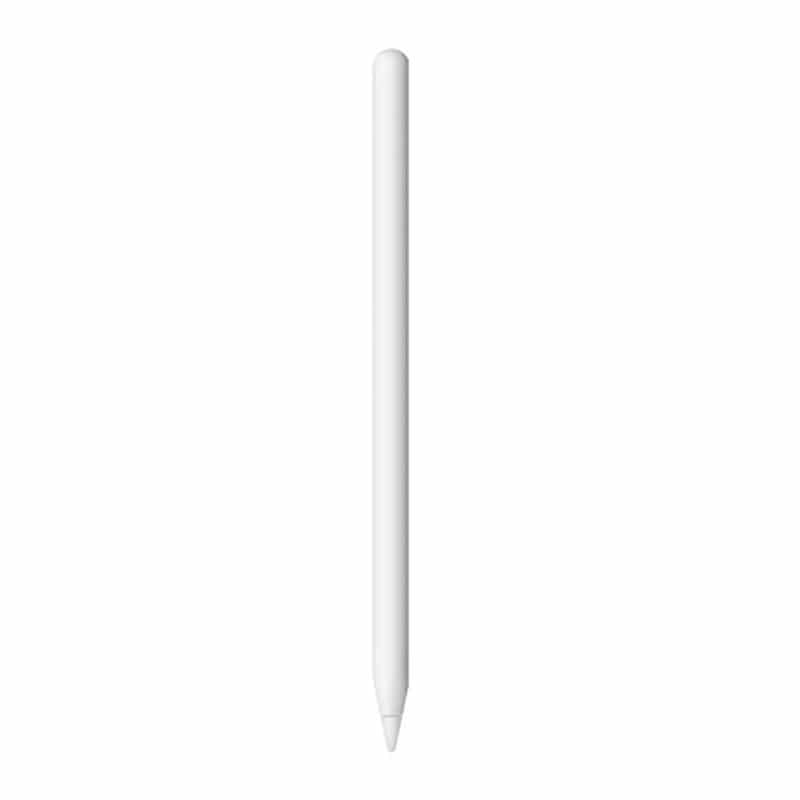
The Proven Standard: Apple Pencil (2nd Generation)
The classic flagship choice for mid-generation iPad users. It features an ergonomic matte plastic design with a flat side to prevent rolling off tables. The 2nd Gen model supports full 4,096-level pressure sensitivity, allowing you to draw thicker or thinner lines naturally based on how hard you press. It features double-tap touch controls to alternate seamlessly between your pen and eraser tools.
Key Controls: Double-Tap tool swapping, advanced Hover support on pro tablets.
Charging Mechanism: Seamless magnetic wireless pairing and charging on the iPad frame.
Best For: Graphic artists and student note-takers using older iPad Air, mini, or legacy Pro series.
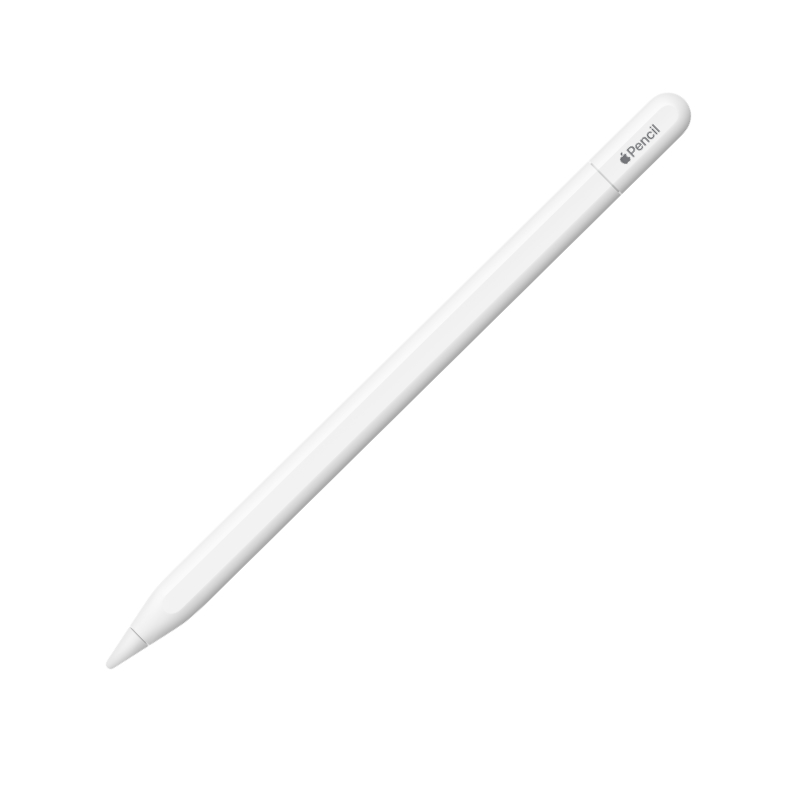
The Value Multi-Tasker: Apple Pencil (USB-C)
The most affordable entry point into the Apple ecosystem, tailored primarily for writing, document markup, and daily digital tasks. While it strips out pressure sensitivity and double-tap gestures to maintain a lower price point, it still retains pixel-perfect tracking and responsive tilt sensitivity for natural shading. It attaches magnetically to the side of any compatible USB-C iPad for secure storage and switches to a battery-saving low-power state.
Key Controls: Tilt shading detection, basic digital pointer inputs.
Charging Mechanism: Slides back an integrated end-cap to pair and charge via a standard USB-C cable.
Best For: College students, office professionals tracking documents, and budget-conscious buyers focusing on handwriting.
Technical Comparison & iPad Hardware Compatibility
Because different Apple Pencils only link with specific iPad models, matching your exact tablet generation before purchasing is crucial.
| Apple Pencil Model | Key Design Highlights | Built-In Pressure Detection | Primary iPad Compatibility |
| Apple Pencil Pro | Squeeze, Barrel Roll, Haptics, Find My | Yes | iPad Pro (M4/M5), iPad Air (M2/M3/M4), iPad mini (A17 Pro) |
| Apple Pencil (2nd Gen) | Wireless Magnetic Charging, Matte Grip | Yes | iPad Pro 11″ (1st-4th Gen), iPad Pro 12.9″ (3rd-6th Gen), iPad Air (4th/5th Gen), iPad mini (6th Gen) |
| Apple Pencil (USB-C) | Sliding End Cap, Wired USB-C Port | No | Any iPad containing a physical USB-C port (including Base iPad 10th Gen) |
| Apple Pencil (1st Gen) | Glossy Round Finish, Lightning Plug | Yes | Legacy Lightning iPads (iPad 6th-9th Gen, older iPad Air/Pro) |
Frequently Asked Questions About Apple Pencils
Q1. Why does the Apple Pencil (USB-C) not work for deep drawing pressure?
To keep the hardware highly affordable for standard note-taking, Apple omitted the analog pressure sensors from the USB-C model. This means lines will not thicken when you push down harder. If your primary goal is advanced sketching, watercolor painting, or detailed shading in design apps, you should opt for either the Apple Pencil Pro or the Apple Pencil 2nd Generation depending on what your specific iPad supports.
Q2. Does my Apple Pencil charge automatically when attached to the iPad side?
This depends entirely on the model. The Apple Pencil Pro and Apple Pencil 2nd Generation use magnetic induction to draw power and charge wirelessly directly from the iPad housing. The Apple Pencil (USB-C) can attach magnetically to your iPad frame for clean, anti-drop storage, but it does not draw wireless power; you must slide open the cap and insert a USB-C charging cord to replenish its battery.
Q3. How can I identify which Apple Pencil model is compatible with my current iPad?
You can easily check your iPad model version by going to Settings > General > About on your tablet. Match your model string with our compatibility index table above. Keep in mind that the advanced Apple Pencil Pro will not pair with older M1 or A-series iPads, and conversely, the Apple Pencil 2nd Generation will not pair with the newest M4 iPad Pro or M2/M4 iPad Air models due to altered magnetic coil arrangements inside the tablet frames.
Showing all 4 resultsSorted by latest